



Description
Download FoneDog Screen Recorder – Free Screen Capture Tool for Windows, Mac, Android & iOS
FoneDog Screen Recorder is a powerful, user-friendly screen recording software designed to capture your screen activity with ease. Whether you're creating educational tutorials, recording gameplay, or capturing video calls, this tool delivers high-quality recordings with minimal effort. Available for Windows, Mac, Android, and iOS, FoneDog Screen Recorder offers cross-platform compatibility, making it ideal for users across different devices. With intuitive controls, real-time preview, and customizable settings, this free screen capture tool ensures professional-grade output without the steep learning curve. Its lightweight design ensures smooth performance even during extended recording sessions, and automatic updates keep the software secure and up to date. Download FoneDog Screen Recorder today and unlock seamless screen recording for all your digital content needs.
Effortless Screen Recording with Professional Features
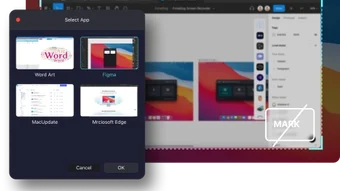
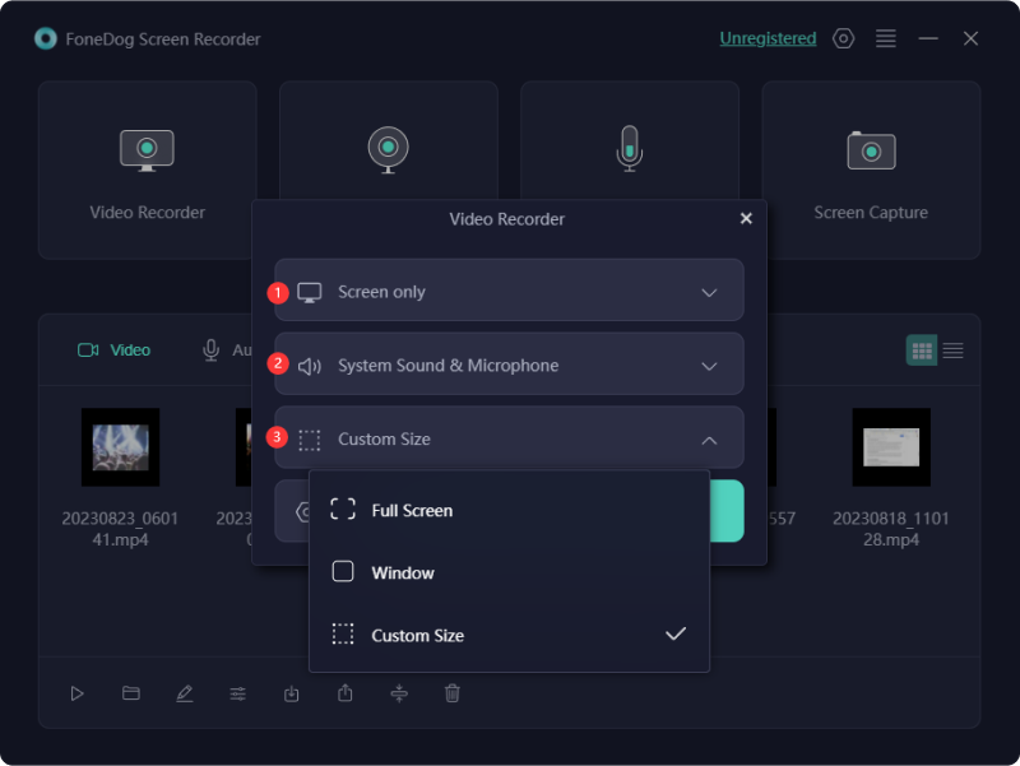
FoneDog Screen Recorder stands out in the crowded screen capture market thanks to its intuitive interface and robust feature set. Designed with both beginners and advanced users in mind, the software ensures that recording your screen is as simple as clicking a button. Upon launching, users are greeted with a clean dashboard that clearly displays recording options, including full-screen capture, window-specific recording, and customizable region selection. This flexibility allows you to focus on exactly what you want to record—be it a specific application, a browser tab, or your entire desktop.
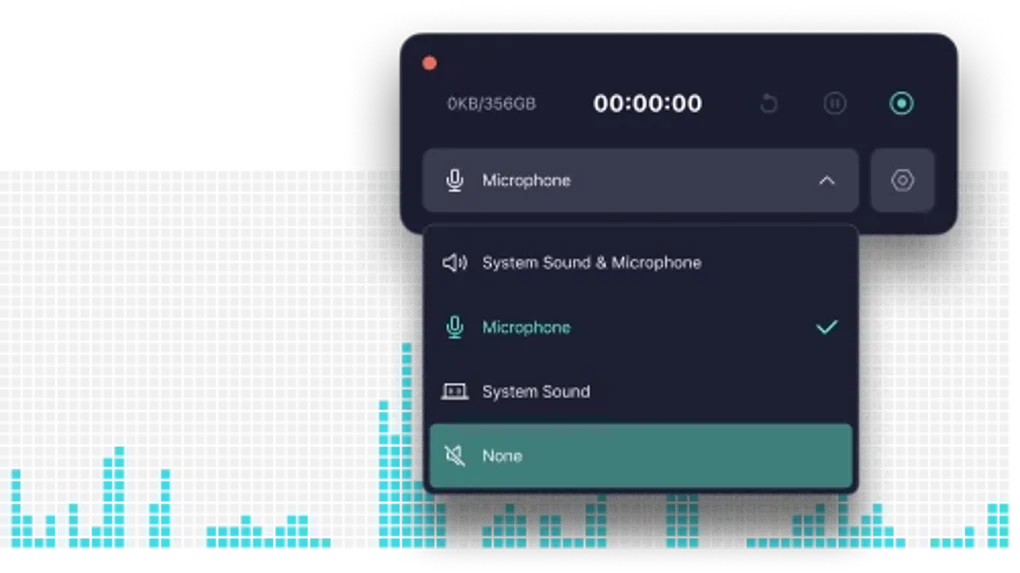
One of the most impressive features is the real-time preview window, which lets you see exactly what’s being recorded before you start. This helps prevent mistakes and ensures your content is perfectly framed. The software supports high-definition recording up to 1080p, preserving clarity and detail, especially important for tutorials or presentations. You can also record system audio, microphone input, or both simultaneously, making it perfect for voice-over videos or online meetings. With customizable frame rates (from 15 to 60 fps), you can balance file size and smoothness based on your needs.
Additionally, FoneDog Screen Recorder includes a built-in video editor, allowing you to trim, crop, and add text or watermarks directly within the app. This eliminates the need for third-party editing software and streamlines your workflow. The ability to schedule recordings and set automatic save locations further enhances productivity. Whether you're a teacher, content creator, or remote worker, this tool adapts to your workflow, offering a seamless experience from start to finish.
Easy Installation & Cross-Platform Compatibility
Installing FoneDog Screen Recorder is a breeze, regardless of your operating system. For Windows users, the download comes as a lightweight installer (under 50MB), which completes setup in under a minute. The process is straightforward—just download the file from the official website, run the installer, and follow the on-screen prompts. No complex configurations or additional software dependencies are required, ensuring a smooth and secure installation.
Mac users can also enjoy a hassle-free setup with a native .dmg file that integrates seamlessly with macOS. The app appears in the Applications folder and can be launched with a single click. For mobile users, FoneDog offers dedicated apps for both Android and iOS, allowing you to record screen activity directly from your smartphone or tablet. These mobile versions support touch gestures and offer similar features to the desktop version, including audio recording and video editing.
Compatibility extends beyond operating systems—FoneDog Screen Recorder works with a wide range of devices and hardware configurations. It supports multiple monitors, high-refresh-rate displays, and various graphics cards, ensuring stable performance even during intensive tasks. The software is optimized for low CPU usage, so your system remains responsive during long recordings. Regular updates are pushed out to improve stability, fix bugs, and introduce new features, keeping your experience secure and future-ready. Whether you're using a budget laptop or a high-end workstation, FoneDog Screen Recorder adapts to your setup without compromising quality.
Pros and Cons: Is FoneDog Screen Recorder Right for You?
- Pros:
- Free to download and use with no hidden costs
- Supports full-screen, window, and region-based recording
- High-quality 1080p recording with customizable frame rates
- Real-time preview to ensure perfect framing
- Integrated video editor for quick trimming and enhancements
- Records system audio, microphone, or both simultaneously
- Available for Windows, Mac, Android, and iOS
- Lightweight with minimal impact on system performance
- Regular updates for security and feature improvements
- Cons:
- Watermark on free version (removable via upgrade)
- Limited advanced editing tools compared to professional software
- Mobile version lacks some desktop features
- Customer support is limited to online documentation
- Occasional lag on older or low-end hardware
Frequently Asked Questions (FAQ)
Is FoneDog Screen Recorder free to use?
Yes, FoneDog Screen Recorder is completely free to download and use. It offers core recording features at no cost, making it accessible for students, educators, and casual users. While the free version includes a watermark on recorded videos, upgrading to the premium version removes this limitation and unlocks advanced editing tools.
Can I record my voice along with the screen?
Absolutely. FoneDog Screen Recorder allows you to record both system audio and microphone input simultaneously. This is ideal for creating tutorial videos, podcast recordings, or live-streaming content where voice narration is essential.
Does it work on Mac and mobile devices?
Yes, FoneDog Screen Recorder is available for macOS, Android, and iOS. The mobile versions provide full screen recording capabilities with touch controls, making it easy to capture gameplay, app demos, or social media content on the go.
How do I update FoneDog Screen Recorder?
The software features an automatic update system. When a new version is available, you’ll receive a notification within the app. Simply click to download and install the update—no need to visit the website manually.
Can I edit my recordings after capturing them?
Yes, FoneDog Screen Recorder includes a built-in video editor that lets you trim clips, crop footage, add text overlays, and apply watermarks. This allows you to refine your recordings without needing external software.
Final Verdict: A Reliable Choice for Screen Recording
FoneDog Screen Recorder is a standout option in the world of screen capture tools. Its combination of ease of use, cross-platform availability, and solid feature set makes it a top choice for both casual and professional users. Whether you're recording a tutorial, capturing a gaming session, or documenting a remote meeting, this software delivers consistent performance and high-quality output. The free version is particularly impressive, offering most essential features without cost, though upgrading unlocks additional benefits like watermark removal and enhanced editing.
While it may not replace full-featured video editing suites, FoneDog Screen Recorder excels at its core purpose: recording your screen with precision and simplicity. Its lightweight design ensures smooth operation, and regular updates keep the app secure and optimized. If you’re looking for a reliable, secure, and easy-to-use screen recording tool that works across Windows, Mac, Android, and iOS, FoneDog Screen Recorder is an excellent download.
Ready to start recording? Download FoneDog Screen Recorder today and experience seamless screen capture for all your projects.
Guides & Tutorials for FoneDog Screen Recorder
How to install FoneDog Screen Recorder
- Click the Preview / Download button above.
- Once redirected, accept the terms and click Install.
- Wait for the FoneDog Screen Recorder download to finish on your device.
How to use FoneDog Screen Recorder
This software is primarily used for its core features described above. Open the app after installation to explore its capabilities.
User Reviews for FoneDog Screen Recorder 0
No reviews found





